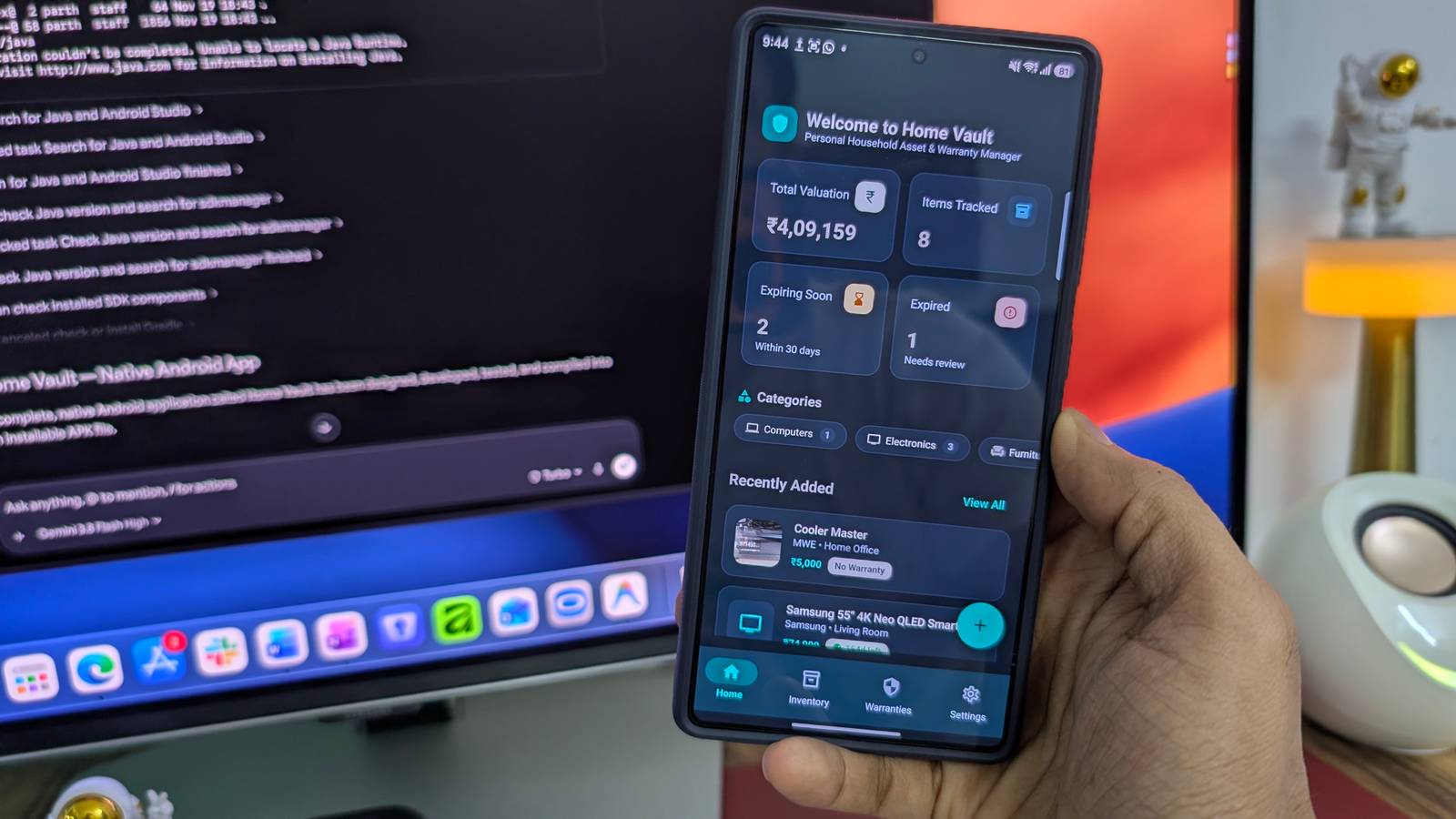
I’ve experimented with a lot of AI coding tools, but most of my projects have been websites, sample dashboards, or apps that I eventually forgot about. This time, I wanted to create something that would be useful beyond my own desktop. I turned to Gemini on Google Antigravity with a simple idea: create a home inventory where I can organize everything in one place. I called it Hearth Vault. Related I found a Gemini feature so good that I deleted a bunch of apps. Get ready for a cleaner home screen. I wanted to solve a real domestic problem. A word about the message. Keeping track of expensive purchases, invoices, warranty details and service history is not always easy. I wanted a dedicated app where my family could find all this information without having to dig through emails, photo galleries, or physical documents. With that in mind, I prepared a detailed post for Gemini on Google Antigravity. I called Home Vault App and asked Gemini to create a native Android app using Kotlin, Jetpack Compose, and Material 3. I wanted a modern dashboard that would show total inventory value, registered products, and upcoming warranty expirations. I also need separate categories for electronics, kitchen appliances, furniture, and other household essentials. My message included the ability to attach product photos and PDF invoices, add purchase prices, record maintenance history, and receive warranty expiration reminders. I even requested powerful search and filtering options, dark mode, and a backup and restore feature so my family could transfer inventory data between devices. Most importantly, I asked Gemini to generate a working APK rather than a fancy web app or prototype. I wanted something we could install on our Android phones without going through the Play Store. Home Vault started to look like a proper Android app. The useful functions were the most important. After I sent my detailed message, Gemini 3.8 got to work. The entire process took about 30 minutes, which was impressive given the number of features I requested. I opened the APK file on my Samsung Galaxy S25 Ultra and Home Vault immediately looked like a proper native Android app rather than a generic AI prototype. Gemini adopted a beautiful Material You design with rounded cards, attractive icons, subtle colors, and carefully organized menus. The dashboard displayed the total value of my home inventory, registered products, and warranty information in a clean layout. However, a beautiful interface means little if the underlying features don’t work. Fortunately, Home Vault had a lot to offer. You could add appliances, electronics, and furniture, along with purchase dates, prices, model numbers, and warranty details. You could also attach photos of products and invoices, making the app much more convenient than a basic spreadsheet. The section dedicated to warranty was another highlight. Organized products by warranty status and made it easy to detect upcoming expirations. Home Vault didn’t feel like a collection of disconnected screens. It seemed like an app designed around a genuine household need. I finally had a real APK. My family became the real testers. After Gemini finished the development process, I had an installable Android app that I could transfer directly to my phone. I didn’t need to rely on Android Studio to test it. Installing Home Vault was easy and seeing it running on my phone was gratifying. I also shared the APK with my family members and asked them to try Home Vault on their phones. They could add appliances, attach invoices, and organize important purchasing details without my help. Their feedback mattered more than any technical benchmark. After all, I wanted to create something useful, not just show off Gemini’s coding skills. Related I used Gemini wrong for months, here’s the setup that actually works Stop using Gemini as ChatGPT This experiment was never meant to be published Don’t search for the same on Play Store. I should clarify one thing: Home Vault is not available on the Google Play Store and I have no immediate plans to publish it. This was never intended to be a commercial application or an alternative to established home inventory services. I built it as a personal experiment to understand how far Gemini and Antigravity have come. Generating a working APK and testing it with a handful of family members is one thing, but releasing an app publicly is a completely different responsibility. You would need to spend more time on security, accessibility, expensive testing, and ongoing maintenance before considering a larger release. For now, I’m perfectly happy keeping Home Vault as a private project. An AI experiment with real benefits Home Vault won’t replace a professional inventory management service anytime soon, but that was never the goal of this experiment. I wanted to see if Gemini 3.8 could take a detailed message and turn it into a working Android app without needing to write everything from scratch. And the results speak for themselves. Sometimes all you need is a practical problem, a detailed prompt, and a little patience (and a good amount of tokens). Now, I can’t wait to see how the Gemini 4 models tackle such complex tasks.